

An Android Joins the System
Android uses a fun, easy interface to organize and manage applications on some of the world's most powerful phones. In fact, carrying around an Android phone is like having a pint-sized laptop right in your pocket.
There are a few mobile operating systems out there—Android is the only one made by Google. Its web functionality is not just an add-on, but a primary part of the experience.
Have a favorite URL? Bookmark it for quick access any time. Prefer a wider view of a particular site? Just rotate your phone and automatically switch to landscape mode.
If you're a fan of using a cursor, the Samsung Moment's innovative optical joystick is like having a mini-mouse built into your phone.
Wednesday, December 29, 2010
Interesting Facts: How SMS Works?

BSC - Base Station Controller
MSC - Mobile Switching center
HLR- Home Location Register
VLR - Visitor Location Register
SMSC - Short Message Service Center
When a user sends an SMS, the request is placed via the MSC. The MSC forwards the SMS to the SMSC where it gets stored. The SMSC queries the HLR to find out where the destination mobile is and forwards the message to the destination MSC if the destination mobile is available. If the mobile is not available the message gets stored in the current SMSC itself. In most installations If a mobile is not available for SMS delivery the SMSC will not retry. Instead the destination MSC will inform the SMSC when the mobile comes back in range.SMS handling is a store and forward operation unlike USSD.
SMS has got a validity period, for which it will wait for the destination mobile to the available. After that time the SMSC will delete the message. The validity period can be set by the user. Normal validity is 1 day.
HTC Sense coming to Windows Phone 7, after all
 Some cried and some cheered when Microsoft revealed that handset manufacturers couldn't reskin Windows Phone 7 devices wholesale. But as it turns out, at least one major OEM is still banking on software to help differentiate its phones. HTC's Drew Bamford told Forbes that Sense UI will still appear in the company's Windows Phone 7 creations, and believes it will live on in Android 3.0 (Gingerbread) as well. "Microsoft has taken firmer control of the core experience," acknowledged Bamford, who added that Sense wouldn't be fully integrated into WP7 phones, but that HTC would "augment" the Microsoft experience with as-yet-undisclosed functionality of its own. As long as it doesn't eat up too much memory and processor time, right?
 Tuesday, December 28, 2010
3G Networks Devices Enhance Quality of Life
Lahore—The Federal Minister for Information Technology Sardar Aseff Ahmed Ali has said the introduction of 3G networks, devices and services in countries around the world is enhancing quality of life and providing expanded economic opportunities, both in the public and private sectors. He was addressing a seminar with reference to 3G Mobile Services under the theme of "To be or not to be is not the question: 3G is coming". The seminar was organized by the Pakistan Telecommunication Authority (PTA) in collaboration with (Zhongxing Telecom) ZTE Corporation.
The PTA Chairman Dr. Mohammed Yaseen, presided over the seminar which was also attended by ZTE Pakistan Chief Executive Officer Peng Aiguang, IT and telecom industry experts, CEOs of telecom companies, academia and media representatives attended the seminar.
He said the 3G has brought around development of innovative new services for consumers and greater productivity for enterprises. Going further down the pyramid, 3G is improving the lives of underserved citizens, bridging the "digital divide", particularly in developing countries where teledensity and Internet penetration are low, he added. On the occasion, the country's five cellular mobile operators also signed a memorandum of understanding to boost localized applications and content and services.
Speaking on the occasion, Dr. Mohammed Yaseen said that by the end of 2010, there would be an estimated 5.3 billion mobile cellular subscriptions worldwide, including 940 million subscriptions to 3G services. Access to mobile networks is now available to 90 percent of the world population and 80 percent of the population living in rural areas People are moving rapidly from 2G to 3G platforms, in both developed and developing countries. In 2010, 143 countries were offering 3G services commercially, compared to 95 in 2007 towards 4G: a number of countries have started to offer services at even higher broadband speeds, moving to next generation wireless platforms.
He said the PTA will also be organizing a conference on "Opportunity for all – Development of 3G" on January 11, 2011, he added. During the seminar Chairman PTA delivered also a compressive presentation to highlight the worldwide practices regarding 3G services and the case studies thereof.
The PTA Chairman Dr. Mohammed Yaseen, presided over the seminar which was also attended by ZTE Pakistan Chief Executive Officer Peng Aiguang, IT and telecom industry experts, CEOs of telecom companies, academia and media representatives attended the seminar.
He said the 3G has brought around development of innovative new services for consumers and greater productivity for enterprises. Going further down the pyramid, 3G is improving the lives of underserved citizens, bridging the "digital divide", particularly in developing countries where teledensity and Internet penetration are low, he added. On the occasion, the country's five cellular mobile operators also signed a memorandum of understanding to boost localized applications and content and services.
Speaking on the occasion, Dr. Mohammed Yaseen said that by the end of 2010, there would be an estimated 5.3 billion mobile cellular subscriptions worldwide, including 940 million subscriptions to 3G services. Access to mobile networks is now available to 90 percent of the world population and 80 percent of the population living in rural areas People are moving rapidly from 2G to 3G platforms, in both developed and developing countries. In 2010, 143 countries were offering 3G services commercially, compared to 95 in 2007 towards 4G: a number of countries have started to offer services at even higher broadband speeds, moving to next generation wireless platforms.
He said the PTA will also be organizing a conference on "Opportunity for all – Development of 3G" on January 11, 2011, he added. During the seminar Chairman PTA delivered also a compressive presentation to highlight the worldwide practices regarding 3G services and the case studies thereof.
Thursday, December 23, 2010
top telecom companies in pakistan
This page is a compilation of list and links for Telecommunication Services Providers (mobile voice, wireless data, Wimax, wireless local loop and VOIP – excluding fixed line) in Pakistan, with links to related posts on my blog and additional references listed at the end. Also see the Pakistan Telecom Wiki for more information.
The latest QoS results from 2009 are in. Take a look at the details by clicking on the image below. In the latest news, PTA issued show cause notices to all the mobile operators for not meeting the required standards.
 1. Market Overview Of Mobile Companies in Pakistan
The Pakistan market has nearly 97 million subscribers as of Nov2009 (PTA data).The growth slowed down in 2009 but has picked up again gradually. See more about the recent competition among mobile network providers.

 For those interested in the change from last year, the chart below shows the market share of mobile phone companies of Pakistan, as of September 2008. Compared with July, the market share changed little. Mobilink lost 1% share (35%), picked up by Zong which is cash rich and has a ready-to-invest attitude.
The ARPU in Pakistan remains low and is not projected to go up. The year 2008 was marked by changes in SIM sales and registration process, enforced by PTA, the government regulator.
 If you are interested in the actual numbers and analysis, leave a comment for me.
Now let’s review some recent history. At 2006 year end the total subscribers were 48.2 million. In June 2007 the total mobile users reached over 63 million. Based on numbers published at PTA website for 2007, the total number of subscribers (technically it is the number of SIMs issued) was 76.6 million, a teledensity of nearly 49%. In 2007 the average growth rate was about 2.5 million new subscribers each month! After second half of 2007 it seemed as if the growth had slowed down but overall it was fine. One remarkable achievement was by Zong (formerly Paketl) which launched very successful campaigns towards 2007 end completed rebrand launch in April of 2008. See this chart for a breakdown of market share by mobile companies at the end of Q1 of 2007.
 For detailed one-page tariff information for all the packages (pre-paid and postpaid) offered by the mobile companies, refer to the consumer notice from PTA below - posted as of August 4, 2008.


Here’s a brief description of the top mobile companies in Pakistan.
 At the top is Mobilink, the Pakistani unit of Egypt-based telecom company Orascom. It has been operating in Pakistan since 1994. Subscriber share is 35% at the end of Sep 2008.
 Ufone, a wholly owned subsidiary of Pakistan Telecommunication Co. Ltd (PTCL), is now under the control of Etisalat group of UAE. It has 21% of subscriber share and added the most lines (2.4 million) from 2006-07. For those in Pakistan it is the one company where they can easily invest locally.
 Warid, owned by the Abu Dhabi group of the United Arab Emirates and sister of Wateen group is number 4 with 18% market of subscribers. Recently it sold 30% share to SingTel.
 Norway’s Telenor, a recent entrant with about a billion US dollar investment in Pakistan has been doing well, based on its recent earning report. It has about 20% of the market share. Telenor stock is listed in the Oslo stock market (TEL) and in US(TELNY.PK).
 CMPak (Zong brand), formerly Paktel, was the latest target of foreign acquisition. After it got acquired by China Mobile it was rebranded as Zong and launched one of the most successful and aggressive campaigns. Within a matter of few months, Zong has achieved a 6% market share.
2. Fixed Wireless (WLL)
 Please see this post for an overview of the WLL operators and technology. Wireless local loop services are based on CDMA and are considered an alternative to copper lines. Recently rebranded Vfone service by PTCL is the market leader and recently there have been many intersting marketing and pricing moves. You may also follow this link for a list of WLL providers from PTA site.
3. WiMAX
 This post provides a summary of WiMAX situation in Pakistan. Wateen has emerged as the largest player and has started advertising for its WiMAX services though as of Sep 2007 the pricing had not been announced. Mobilink Infinity also started commercial WiMAX service in Karachi. Dancom used to be an independent provider but it was acquired by Mobilink. Wi-tribe is another player.
4. Voice over IP
Companies providing VOIP and call forwarding services. In other words: International calls, local rates. See my posts about VOIP related issues for Pakistan.
The latest QoS results from 2009 are in. Take a look at the details by clicking on the image below. In the latest news, PTA issued show cause notices to all the mobile operators for not meeting the required standards.

The Pakistan market has nearly 97 million subscribers as of Nov2009 (PTA data).The growth slowed down in 2009 but has picked up again gradually. See more about the recent competition among mobile network providers.


The ARPU in Pakistan remains low and is not projected to go up. The year 2008 was marked by changes in SIM sales and registration process, enforced by PTA, the government regulator.

Now let’s review some recent history. At 2006 year end the total subscribers were 48.2 million. In June 2007 the total mobile users reached over 63 million. Based on numbers published at PTA website for 2007, the total number of subscribers (technically it is the number of SIMs issued) was 76.6 million, a teledensity of nearly 49%. In 2007 the average growth rate was about 2.5 million new subscribers each month! After second half of 2007 it seemed as if the growth had slowed down but overall it was fine. One remarkable achievement was by Zong (formerly Paketl) which launched very successful campaigns towards 2007 end completed rebrand launch in April of 2008. See this chart for a breakdown of market share by mobile companies at the end of Q1 of 2007.

Here’s a brief description of the top mobile companies in Pakistan.
At the top is Mobilink, the Pakistani unit of Egypt-based telecom company Orascom. It has been operating in Pakistan since 1994. Subscriber share is 35% at the end of Sep 2008.Ufone, a wholly owned subsidiary of Pakistan Telecommunication Co. Ltd (PTCL), is now under the control of Etisalat group of UAE. It has 21% of subscriber share and added the most lines (2.4 million) from 2006-07. For those in Pakistan it is the one company where they can easily invest locally.Warid, owned by the Abu Dhabi group of the United Arab Emirates and sister of Wateen group is number 4 with 18% market of subscribers. Recently it sold 30% share to SingTel.Norway’s Telenor, a recent entrant with about a billion US dollar investment in Pakistan has been doing well, based on its recent earning report. It has about 20% of the market share. Telenor stock is listed in the Oslo stock market (TEL) and in US(TELNY.PK).CMPak (Zong brand), formerly Paktel, was the latest target of foreign acquisition. After it got acquired by China Mobile it was rebranded as Zong and launched one of the most successful and aggressive campaigns. Within a matter of few months, Zong has achieved a 6% market share.2. Fixed Wireless (WLL)
 Please see this post for an overview of the WLL operators and technology. Wireless local loop services are based on CDMA and are considered an alternative to copper lines. Recently rebranded Vfone service by PTCL is the market leader and recently there have been many intersting marketing and pricing moves. You may also follow this link for a list of WLL providers from PTA site.
 3. WiMAX
This post provides a summary of WiMAX situation in Pakistan. Wateen has emerged as the largest player and has started advertising for its WiMAX services though as of Sep 2007 the pricing had not been announced. Mobilink Infinity also started commercial WiMAX service in Karachi. Dancom used to be an independent provider but it was acquired by Mobilink. Wi-tribe is another player.4. Voice over IP
Companies providing VOIP and call forwarding services. In other words: International calls, local rates. See my posts about VOIP related issues for Pakistan.
- Vonics (more about Vonic’s Pakistan Plan)
- BRAIN TEL (Lahore only)
- CallPakistanDirect
- Rebetel - not specific to Pakistan
- FreeCallPlanet – not specific to Pakistan
- Information of providers from PTA site
- Mobile phone tariffs available at this PTA page.
- Wikipedia – Communication in Pakistan
Interesting Cell Phone Facts
 With subscriptions expected to reach 5 billion some time this year, as reported by the International Telecommunication Union (ITU), cellular phones are arguably the most widely used gadget and the most popular communication tool today. That is about 75 percent of the world's population. With this feat, it is just right to compile a list of interesting facts regarding our beloved mobile phones.
The first ever Short Message Service (SMS) was sent by Neil Papworth in December of 1992 containing the words "Merry Christmas". 17 years later, 4.1 billion SMS were sent daily in the US alone.
The popular clam shell (folding) cell phone was in fact inspired by the fictional communicator from the TV series Star Trek. The Motorola StarTAC was the first cellular phone to adopt the clam shell design.
Cellular phones can not cause explosion in gasoline stations. We see warning signs in gas stations to turn cell phones off when filling up our cars with gas. This popular myth has been debunked by Discovery Channel's MythBusters. A statement was also released by the Federal Communications Commission (FCC) falsifying the myth.
Mobile phones with internal antennas did not come until the year 2000 when Nokia introduced the then revolutionary Nokia 3210, also the first phone to feature T9 predictive text.
Want to reduce dropped calls? Check out Wilson Electronics' wireless extenders for more information. Read more cell phone facts.
Article Source: http://EzineArticles.com/?expert=J_F._Parker
Top ten phones from the 2010 Mobile World

Windows Phone 7
Manufacturers clearly value the open-source nature of Android, which they can customise to their hearts' content. But Microsoft's Windows Phone 7 is definitely a contender and it will be interesting to see what devices the phone makers can come up with by the end of the year.
Here are my top 10 mobile announcements and phones from the show:
Microsoft CEO Steve Ballmer's keynote speech at the Consumer Electronics Show in Las Vegas was dry and lacked major new announcements, so I was skeptical about whether Microsoft could pull it off in Barcelona.
The jury is still out as we wait until Christmas to see some final handsets but from the early Windows Phone 7 prototypes at MWC, it's clear Microsoft has wiped the slate clean and started fresh with a new platform and a revamped, innovative user interface.
The demo version I saw was an early version and slightly buggy but i'm impressed with the tight integration with social networking sites and online email and calendar sites. The inclusion of Xbox Live for multiplayer gaming and a Zune music player puts it squarely in iPhone territory.
But Microsoft's insistence on manufacturers keeping its tile-based UI may limit phone makers like HTC, which has done wonders to dolly up Windows Mobile 6.5 with its Sense interface. And the inability to upgrade existing Windows Mobile phones to Windows Phone 7 may frustrate those who recently shelled out for a 6.5 device.
Samsung Wave - Samsung is going out on a limb by introducing a completely new phone platform, banking on developers supporting it with enough interesting and useful apps to compete with iPhone and the open-source Android platform from Google.
It's risky. But the 3.3-inch Super AMOLED touch-screen display is gorgeous and Samsung will have complete control of both the hardware and software, which has definitely been beneficial for Apple with the iPhone.
Sony Ericsson Xperia X10 mini pro - Looking at this handset in a picture is deceiving. While other smartphone makers are moving to bigger screens, like the HTC HD2's giant 4.3-inch display, this one is tiny at 2.6-inch.The device measures just 90x52x17mm.
But big phones aren't for everyone and Sony Ericsson makes it work with a good touchscreen user interface and the Timescape app, which puts friends' Facebook posts, Tweets, messages and calls into a single stream. Other apps can be downloaded from the Android market.
HTC Legend - Most phones have a front and back that clip together but the Legend's casing is machined out of a single block of aluminium. As soon as I saw it I wanted one. The Legend is an Android phone running HTC's highly customised, intuitive Sense user interface.
HTC Desire - It's not as pretty as the Legend but while the Legend has just a 600MHz processor, the Desire offers a much gruntier 1GHz chip. It runs the latest version of Android, 2.1, and features a 3.7-inch screen - the closest you'll get to the Google Nexus One, which hasn't yet been launched in Australia. The Desire will be available in Australia from Telstra in April.
HTC HD mini - Think of this one as a smaller version of the giant HD2. Like its sibling, the HD mini runs Windows Mobile 6.5 and includes the unique ability to launch a personal WiFi hotspot, which users can connect to on a laptop to browse the web over their mobile's 3G network from anywhere.A very cool feature that I would love to see replicated by other manufacturers.
Samsung Beam - It doesn't look like this phone will come to Australia any time soon but it's worth a mention because it's one of the first handsets to include a built-in projector for viewing content stored on the phone on any wall.
Samsung definitely gets points for innovation but the market for this one may be somewhat limited and the projector is only really effective in darker rooms. The battery is drained in about three hours with the projector on.
Asus-Garmin Nuvifone A50 - This is the fruit of a partnership between electronics maker Asus and GPS navigation specialist Garmin, so it's designed to replace the GPS device in your car and double as your primary mobile. It runs the Android operating system but the interface has been completely redesigned to the point that it barely resembles other Android phones.
Sony Ericsson Vivaz - The Vivaz has a QWERTY keyboard and 3.2-inch touchscreen but, unlike most phones, is also capable of shooting high-definition 720p video and includes an 8-megapixel camera.
Motorola Milestone - Motorola has been extremely quiet in Australia over the last few years but i'm hoping it comes to market with the Milestone, which is similar to the Droid that Motorola launched in the US.
It runs Android 2.0 and has iPhone-like multitouch support, with users able to pinch the 3.7-inch screen to zoom on web pages, maps and photos. The phones comes with Motorola's turn-by-turn GPS navigation software, MOTONAV, a slide-out QWERTY keyboard and a 5-megapixel camera.
10 useful iPhone tips & tricks
The iPhone, like the Mac, is extremely simple and intuitive to use. Odds are that you’ve never even cracked open the user manual since the way just about everything works is pretty obvious.
But its simplicity can be a double-edged sword… there are many small “convenience features” that are often hidden away. If Apple exposed them in a more obvious way, it’d take away from the elegance of the device. And its elegance is one of its strongest points.
I’m sure that many of you are “power users” and probably know most of these tips and tricks. But I suspect that a lot of you are more casual iPhone users and will find this list useful. Even our team members that I showed the draft of this post to (people I consider iPhone experts), all picked up at least a tip or two that they weren’t already aware of. So I’ll bet there’s something for everyone here…

This may be the most convenient, yet hidden feature on the iPhone. I had my phone for months before stumbling upon it (and I didn’t even stumble upon it by playing around with the phone, but by reading the programming documentation on scroll views).
As far as I know, there’s no corresponding way to scroll to the bottom, though.


This one’s actually somewhat intuitive but I was surprised by how many people aren’t aware of it.

 Note: For this to work, you need to make sure Enable Caps Lock is turned on in the Keyboard section of General settings.Along somewhat similar lines, a handy way of saving a tap when you need to type a capital letter is to touch the Shift key then slide over to the desired key. This behavior also works for the Number key.


Do you need to type an umlauted-u (ü) but you’re not using the German keyboard? Touch and hold the U key and you get a set of additional keys to choose from.
This works for several of the alphabetic keys, enabling you access to letters such as éîçåß, etc.

In addition, there are several punctuation keys that behave similarly, so that you can type curly-quotes, etc.

And furthermore, when the keyboard is in “URL-mode”, where the “.com” key is available, touching and holding it pops-up additional options for quickly entering .net, .edu, and .org domains.
For a while, I was under the false impression that locking the phone was equivalent to putting your Mac to sleep. But when your phone is locked, the screen turns off but the app that’s running at the time continues to run. For instance a relaxation app is able to continue playing sound but save battery power with the screen off. So, locking your phone is actually more like “display sleep” on your Mac (⌃⇧⏏ or Control-Shift-Eject for those of you who can’t read Macroglyphics).
So to ensure that your phone is using as little battery as possible, you’re best off always pressing the Home button before locking so that no app remains running.

When should you turn your phone completely off? The two situation that I usually do this is when I’m almost out of battery and when my phone is acting kind of wonky.
If your battery’s almost dead and you’re nowhere near some way of charging it your best bet is to turn it off if you’re going to need it to make a call or check something on the ‘net (assuming you can forego and incoming calls/SMSs).
And if your phone’s been acting flaky, where apps are starting to get really slow or behave unexpectedly, turning your phone off then back on usually gets things back to normal.
Have you ever been using an app and it’s become very unresponsive or completely frozen? You can force quit it by pressing the Home button for at least six seconds.

And finally, if your phone seems to be completely frozen where attempting to turn it off or force quit the current app does nothing, you can force a reset of your phone by pressing both the Sleep/Wake and Home buttons for at least ten seconds. Note that while Apple technically calls this a “reset”, it’s actually more like a “reboot” and none of your settings will be changed.


A very underused, yet convenient feature is that you’re able to set the function for double-clicking the Home button. By default, this just brings you to the Home screen, meaning no different function than clicking the Home button once.
But if you go to the Settings app then navigate to General then Home Button, you’ll find a few handy options. I have mine set to go to my Phone Favorites but you can also set it to open the iPod app, or just show the iPod controls when music is playing.
And something I recently noticed after updgrading to the newest iPhone OS is that when you now click the Home button while already on the Home screen, it’ll quickly take you to the first page of apps. This is a great feature if you have your phone filled with apps… and who doesn’t these days?


Skyhook WPS is the service that, via Wi-Fi, enables your iPhone and iPod touch to locate where you are if GPS isn’t available. It generally gets you more accuracy than the cell tower triangulation method. The big issue with this method, though is that if the router that you’re currently connected to isn’t in the Skyhook database, you’re out of luck.
But after a ton of digging I was able to find the web page where you can add your router to its database:

http://www.skyhookwireless.com/howitworks/submit_ap.php
After a few simple steps and an “up to 7 days” waiting period, the router should be available to help you and others get improved location positioning. This helps us all so do your part and register your router, especially if you live outside a major metropolitan area (since Skyhook usually has the big metro areas covered already).
There’s a much better way of being “connected” to AIM without having to appear as if you’re there. With AIM (the service, not the app), you’re able to setup your account with a service called AIM Mobile Forwarding so that IMs to you when you’re offline get forwarded to your phone as SMS messages. This isn’t something specific to the iPhone but I found it to be most useful once I got my iPhone because of the iChat-like way that the SMS app works.
AIM Mobile Forwarding can be invaluable in emergency situations if someone has your AIM screenname but doesn’t have your phone number. This actually happened to me recently where the macheist.com domain accidentally expired and I was immediately notified while I was on the road… thanks, Cindy! (In my defense, there’s a long story involving a stolen credit card, defunct phone numbers, and some weirdness with an email address.)
When you have AIM Mobile Forwarding setup and you’re offline, here’s how you appear to others in their buddy lists:

If you’d like to set a custom staus, simply change your status to what you desire before you go offline and it’ll remain while you’re offline:

The beauty of this is that it instantly conveys, “don’t bug me unless it’s really important”.

Similar to AIM Mobile Forwarding, you’re also able to send SMS messages to other’s phones right from iChat (or any AIM client). Just use the Send SMS… item from the File menu.

And you can also setup “mobile buddies” so that your buddies who haven’t setup AIM Mobile Forwarding function as if they have. All you have to do is add their mobile phone number as an AIM account, beginning with a “+1”.

And while you’re at it, you may as well add yourself to your buddy list like this. This is very handy for when you’re about to hit the road and you need to send yourself a quick note. It’s definitely one of the easiest ways to to send yourself a note and is a few less steps than sending yourself a note via email.

 Note: SMS messages that come from AIM Mobile forwarding come from the numbers 265-060, 265-061, and 265-080 through 265-089 (possibly more but I haven’t seen any others). So if you have these numbers in your contacts and use a name like “Mobile AIM” for the contact, the incoming messages will look a lot neater and will be more easily identifiable to you since they won’t be listed with some seemingly random phone number.
I created a vCard so that you can easily set this up. Simply download it on your Mac, open it to add the contact to your Address Book, then sync to your iPhone and you’ll be good to go.
 Mobile AIM.vcf
But its simplicity can be a double-edged sword… there are many small “convenience features” that are often hidden away. If Apple exposed them in a more obvious way, it’d take away from the elegance of the device. And its elegance is one of its strongest points.
I’m sure that many of you are “power users” and probably know most of these tips and tricks. But I suspect that a lot of you are more casual iPhone users and will find this list useful. Even our team members that I showed the draft of this post to (people I consider iPhone experts), all picked up at least a tip or two that they weren’t already aware of. So I’ll bet there’s something for everyone here…
1. Scroll to top
Tapping the status bar (the bar at the top with the clock) will make scrollable content scroll to the top. It comes in handy in situations like when you’ve scrolled down a long web page or mail message and you quickly need to get back to the top.This may be the most convenient, yet hidden feature on the iPhone. I had my phone for months before stumbling upon it (and I didn’t even stumble upon it by playing around with the phone, but by reading the programming documentation on scroll views).
As far as I know, there’s no corresponding way to scroll to the bottom, though.
2. Screenshots
Simultaneously press the Home and Sleep/Wake buttons to take a screenshot of your current screen. You’ll hear a camera shutter sound, your screen will flash white, then the screenshot will appear in the “Saved Photos” library of the Photos app.3. Saving images in Safari and Mail
Touching an image in Safari or Mail for a couple of seconds will present you with an action sheet which will enable you to save the image. As with taking screenshots, the image will get stored in the “Saved Photos” library of the Photos app.4. Caps lock
Double-tap the Shift key to lock it.This one’s actually somewhat intuitive but I was surprised by how many people aren’t aware of it.
Note: For this to work, you need to make sure Enable Caps Lock is turned on in the Keyboard section of General settings.5. Extra keys
Do you need to type an umlauted-u (ü) but you’re not using the German keyboard? Touch and hold the U key and you get a set of additional keys to choose from.
This works for several of the alphabetic keys, enabling you access to letters such as éîçåß, etc.
In addition, there are several punctuation keys that behave similarly, so that you can type curly-quotes, etc.
And furthermore, when the keyboard is in “URL-mode”, where the “.com” key is available, touching and holding it pops-up additional options for quickly entering .net, .edu, and .org domains.
6. Lock / shut down / force quit / reset
You’d be surprised to know how many people don’t know how to turn their phone completely off. I’m not talking about “locking” the phone where you simply press the Sleep/Wake button on the top of your phone.For a while, I was under the false impression that locking the phone was equivalent to putting your Mac to sleep. But when your phone is locked, the screen turns off but the app that’s running at the time continues to run. For instance a relaxation app is able to continue playing sound but save battery power with the screen off. So, locking your phone is actually more like “display sleep” on your Mac (⌃⇧⏏ or Control-Shift-Eject for those of you who can’t read Macroglyphics).
So to ensure that your phone is using as little battery as possible, you’re best off always pressing the Home button before locking so that no app remains running.
Note: Most apps do nothing while the phone is locked but I’ve seen too many apps where this isn’t the case, so I say “better safe than sorry” and usually quit before locking.
To turn your phone completely off, press the Sleep/Wake button for a few seconds then drag the red slider that appears.When should you turn your phone completely off? The two situation that I usually do this is when I’m almost out of battery and when my phone is acting kind of wonky.
If your battery’s almost dead and you’re nowhere near some way of charging it your best bet is to turn it off if you’re going to need it to make a call or check something on the ‘net (assuming you can forego and incoming calls/SMSs).
And if your phone’s been acting flaky, where apps are starting to get really slow or behave unexpectedly, turning your phone off then back on usually gets things back to normal.
Have you ever been using an app and it’s become very unresponsive or completely frozen? You can force quit it by pressing the Home button for at least six seconds.
And finally, if your phone seems to be completely frozen where attempting to turn it off or force quit the current app does nothing, you can force a reset of your phone by pressing both the Sleep/Wake and Home buttons for at least ten seconds. Note that while Apple technically calls this a “reset”, it’s actually more like a “reboot” and none of your settings will be changed.
7. Home button options
A very underused, yet convenient feature is that you’re able to set the function for double-clicking the Home button. By default, this just brings you to the Home screen, meaning no different function than clicking the Home button once.
But if you go to the Settings app then navigate to General then Home Button, you’ll find a few handy options. I have mine set to go to my Phone Favorites but you can also set it to open the iPod app, or just show the iPod controls when music is playing.
And something I recently noticed after updgrading to the newest iPhone OS is that when you now click the Home button while already on the Home screen, it’ll quickly take you to the first page of apps. This is a great feature if you have your phone filled with apps… and who doesn’t these days?
8. Swipe to delete
In the Mail app and many others that use lists of items, you’re able to quickly delete an item by swiping your finger across the item… sort of emulating crossing something off a list. Doing so exposes a Delete button so that you’re able to confirm your action.9. Register your Wi-Fi
Skyhook WPS is the service that, via Wi-Fi, enables your iPhone and iPod touch to locate where you are if GPS isn’t available. It generally gets you more accuracy than the cell tower triangulation method. The big issue with this method, though is that if the router that you’re currently connected to isn’t in the Skyhook database, you’re out of luck.
But after a ton of digging I was able to find the web page where you can add your router to its database:
http://www.skyhookwireless.com/howitworks/submit_ap.php
After a few simple steps and an “up to 7 days” waiting period, the router should be available to help you and others get improved location positioning. This helps us all so do your part and register your router, especially if you live outside a major metropolitan area (since Skyhook usually has the big metro areas covered already).
10. AIM mobile options
If you’re like me, you find the AIM app for the iPhone to be pretty useless. AIM (iChat on the Mac) is my main form of communication these days but if I’m not actually online, I don’t want to be seen as being “online”. One thing I find pretty annoying is IMing someone then not getting a response until like half an hour later. This is the nature of the AIM app on the iPhone so I don’t subject others to behavior I don’t like myself.There’s a much better way of being “connected” to AIM without having to appear as if you’re there. With AIM (the service, not the app), you’re able to setup your account with a service called AIM Mobile Forwarding so that IMs to you when you’re offline get forwarded to your phone as SMS messages. This isn’t something specific to the iPhone but I found it to be most useful once I got my iPhone because of the iChat-like way that the SMS app works.
AIM Mobile Forwarding can be invaluable in emergency situations if someone has your AIM screenname but doesn’t have your phone number. This actually happened to me recently where the macheist.com domain accidentally expired and I was immediately notified while I was on the road… thanks, Cindy! (In my defense, there’s a long story involving a stolen credit card, defunct phone numbers, and some weirdness with an email address.)
When you have AIM Mobile Forwarding setup and you’re offline, here’s how you appear to others in their buddy lists:
If you’d like to set a custom staus, simply change your status to what you desire before you go offline and it’ll remain while you’re offline:
The beauty of this is that it instantly conveys, “don’t bug me unless it’s really important”.
Note: It’d be nice if your mobile status got set automatically when you went offline but there’s no simple way I know of doing this. I tried creating a small AppleScript that sets the desired status and set it to run when I logged out. But it needs to run right before logging out so it doesn’t work here. If anyone knows of a non-convoluted way of doing this, I’d really appreciate it if you’d post how in the comments below. 
So how do you setup AIM Mobile Forwarding? Simple… if you use iChat, open Preferences and just click the Configure AIM Mobile Forwarding… button in the Accounts tab. This will open a web page where you can enter your info and get it rolling. For those of you who don’t use iChat, the web page is here (warning: will foolishly resize your browser window).Similar to AIM Mobile Forwarding, you’re also able to send SMS messages to other’s phones right from iChat (or any AIM client). Just use the Send SMS… item from the File menu.
And you can also setup “mobile buddies” so that your buddies who haven’t setup AIM Mobile Forwarding function as if they have. All you have to do is add their mobile phone number as an AIM account, beginning with a “+1”.
And while you’re at it, you may as well add yourself to your buddy list like this. This is very handy for when you’re about to hit the road and you need to send yourself a quick note. It’s definitely one of the easiest ways to to send yourself a note and is a few less steps than sending yourself a note via email.
Note: SMS messages that come from AIM Mobile forwarding come from the numbers 265-060, 265-061, and 265-080 through 265-089 (possibly more but I haven’t seen any others). So if you have these numbers in your contacts and use a name like “Mobile AIM” for the contact, the incoming messages will look a lot neater and will be more easily identifiable to you since they won’t be listed with some seemingly random phone number.I created a vCard so that you can easily set this up. Simply download it on your Mac, open it to add the contact to your Address Book, then sync to your iPhone and you’ll be good to go.
Mobile AIM.vcfMobile Phone Buying Guide (Pakistan)

- Talk time and standby time: How much do you actually talk on the phone in a day. It's important because if you talk a lot you need to charge frequently or go in for a phone with large talk time.
- Network: There are two kinds GSM and CDMA. A mobile phone that uses a GSM network has a SIM card and you can switch between service providers by changing the SIM. A CDMA mobile phone on the other hand locks you to a particular telecom operator.
- Messaging: Do you just need to send and receive SMS or you need MMS and email facility too.
- Entertainment: Would you use the phone for listening to FM radio and music which can be stored on the phone? Do you want to play games(java enabled) too?
- Camera: Do you need a camera in the mobile, if yes of what resolution? Do you want to be able to capture video too?
- Connectivity: There are so many connectivity options available these days.....bluetooth, infrared, microUSB, wi-fi etc. So, which all do you want for yourself?
- Technology: Do you need 3G technology on your phone to be able to experience high-speed internet on phone?
Wednesday, December 22, 2010
Nokia Mobiles - Nokia Mobile Phone Prices
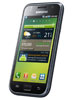 Samsung I9000 Galaxy S 16GB Rs. 49,000 |
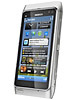 Nokia N8 Rs. 48,000 |
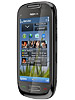 Nokia C7 Rs. 32,900 |
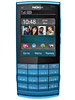 Nokia X3 02 Touch and Type Rs. 14,900 |
 Nokia 5250 Rs. 10,900 |
 Samsung E2152 Rs. 6,000 |
 Apple iphone 4 16GB SU Rs. 69,900 |
Apple iphone 4 16GB FU Rs. 79,900 |
 Samsung S8500 Wave Rs. 29,900 |
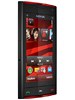 Nokia X6 Rs. 48,000 |
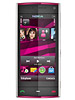 Nokia X6 16GB Rs. 28,000 |
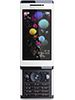 Sony Ericsson Aino Rs. 30,800 |
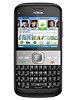 Nokia E5 Rs. 19,300 |
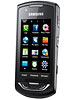 Samsung S5620 Monte Rs. 15,500 |
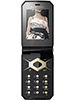 Sony Ericsson Jalou Rs. 17,300 |
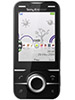 Sony Ericsson U100 Yari Rs. 18,700 |
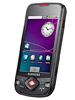 Samsung I5700 Galaxy Spica Rs. 25,000 |
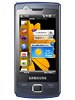 Samsung B7300 OMNIALite Rs. 24,000 |
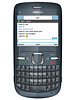 Nokia C3 Rs. 11,500 |
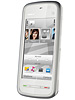 Nokia 5233 Rs. 11,800 |
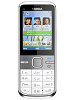 Nokia C5 Rs. 14,400 |
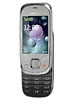 Nokia 7230 Rs. 10,750 |
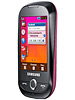 Samsung S3653 WIFI Rs. 11,200 |
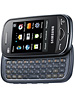 Samsung B3410W Ch@t Wifi Rs. 12,700 |
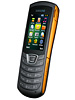 Samsung C3200 Monte Bar Rs. 6,900 |
Samsung E2152 Rs. 6,000 |
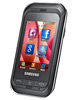 Samsung C3303K Champ Rs. 7,700 |
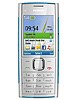 Nokia X2 Rs. 9,400 |
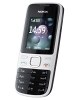 Nokia 2690 Rs. 5,300 |
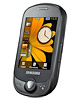 Samsung C3510 Genoa Rs. 8,200 |
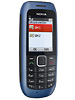 Nokia C1 00 Rs. 2,650 |
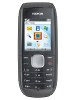 Nokia 1800 Rs. 2,700 |
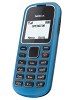 Nokia 1280 Rs. 2,300 |
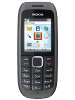 Nokia 1616 Rs. 2,450 |
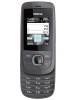 Nokia 2220 slide Rs. 4,550 |
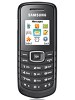 Samsung E1080 Rs. 2,200 |
Subscribe to:
Comments (Atom)